seabORD Inputs
C_seabord_inputs.RmdNew to seabORD? This guide walks through all the inputs required for a simulation using the package’s built-in example datasets.
Inputs
To run seabORD several inputs are needed:
| arguments | type | description |
|---|---|---|
| Par | List | The main parameters controlling/defining this run e.g., species and colony |
| modPar | List | Parameters relating to the model mode and computer environment |
| ordPar | List | Input parameters relating to the ORDs |
| switches | List | A set of switches/flags used to control optional features of the run and determine range of outptus |
| seamask | Raster | land/sea grid, 1km expected. |
| spadat1 | Tibble | Information relating to the colony/SPA |
| spadat2 | Tibble | Information relating to the colony/SPA |
| spdat | Dataframe | Species-specific parameters |
| BrdData | Raster | Bird distribution map - derived from GPS data or failing that, a distance-decay model |
| FrgCompData | Raster | Competition distribution map - derived from GPS data or failing that, a distance-decay model |
| fltdist_base | Raster | Flight distance by sea, without ORDs. See user guide for details. |
| FlightGridcorrection | Raster | Flight distance transition layer (gdistance) corrected for distortions relating to the CRS |
| ORDpoly | Multipolygon (simple features) | The ORD footprints |
The package includes example datasets that can be used to explore seabORD without preparing your own data. This guide provides a complete overview of each input argument along the way.
Par
The “Par” list contains the biological and behavioural parameters used by the model
thisSpecies: Species code to model. Available options are
"KI"(kittiwake),"GU"(guillemot),"RA"(razorbill), and"PU"(puffin).colonies: The code identifying the colony or SPA being modelled.
Nscalefactor: Proportion of the population to simulate. A value of 1 represents 100% of the population, while 0.1 represents 10%. Lower values can be useful for testing and reducing run times.
Prob_Displacement: Proportion of individuals that are susceptible to displacement effects when interacting with an offshore renewable development (ORD). For example, a value of 0.6 means that 60% of individuals are displacement susceptible.
Prob_Barrier: Proportion of displacement-susceptible individuals that are also susceptible to barrier effects. For example, if Prob_Displacement = 0.6 and Prob_Barrier = 1, then 60% of the population will experience both displacement and barrier effects.
PreyType: Defines how prey is distributed across the modelled area. The default option is “uniform”, where all cells begin with the same prey value.
collision: Reserved for future use. This parameter is not currently used by the model.
SiteSelectionMethod: Set to “Map” currently, but options to add in a distance decay module.
MaxDistancekm: Not currently used in this version
PropInRange: Not currently used in this version
Npairspercol: The number of pairs of adult birds at the given colony/SPA
Pmedian: The value of prey in cells in this particular replicate. Prior to running the simulation with ORDs this must be determined in a calibration step.
Par_example <-  seabORD::get_example_par()

#which looks like
str(Par_example)
#> List of 12
#>  $ thisSpecies        : chr "KI"
#>  $ colonies           : chr "UK9004171"
#>  $ Nscalefactor       : num 1
#>  $ Prob_Displacement  : num 0.6
#>  $ Prob_Barrier       : num 1
#>  $ PreyType           : chr "Uniform"
#>  $ collision          : chr "Off"
#>  $ SiteSelectionMethod: chr "Map"
#>  $ MaxDistancekm      : num 0
#>  $ PropInRange        : num 0
#>  $ Npairspercol       : num 2898
#>  $ Pmedian            : num 158
modPar
List for model parameters.
Nparallel: This is used for parallel runs only (i.e., set to “NA” for runs on local machine) to indicate which replicate is being run which will dictate the seed being so that reproducibility is conducted in the same fashion as for local runs.
initialseed: A seed for reproducibility.
reference: A name to be attached to folders and files emanating from this particular simulation which will be generated from other outputs in the order of: model environment; model mode (calibration/scenario); species, colony ID. E.g., “serial_scenario_KI_UK9004171”
outputdir: The file directory where outputs from your model will be saved to.
Nreplicates: The number of replicates being used
make a folder in the directory to store your output (you can place it wherever)
# Create the ouput folder "output_seabORD" if not existing already
if (!dir.exists("output_seabORD")) {
  dir.create("output_seabORD")
}
and then the list of modPar
modPar_example <- seabORD::get_example_modpar()

#which looks like
str(modPar_example)
#> List of 5
#>  $ Nparallel  : logi NA
#>  $ initialseed: num 6598
#>  $ reference  : chr "serial_scenario_KI_UK9004171"
#>  $ outputdir  : chr "output_seabORD"
#>  $ Nreplicates: num 1
ordPar
List for wind farm parameters
include_ORDs: Code names of ORDs to be included in this run, e.g., “NEART” is Neart na Gaoithe
parnames: Further naming of wind farms to be included
FootprintBorder: The extension distance (km) of the buffer around the ORD which birds avoid
BufferZone: Also known as the displacement zone, this is the distance (km) extending beyond the FootprintBorder where displacement susceptible birds will be displaced to.
ordPar_example <-  seabORD::get_example_ordPar()

#which looks like
str(ordPar_example)
#> List of 4
#>  $ include_ORDs   : chr [1:2] "NEART" "INCAP"
#>  $ parnames       : chr "NEART;INCAP"
#>  $ FootprintBorder: num 2
#>  $ BufferZone     : num 5
Switches
This parameter requires a llist() object that defines the optional features of the run. It accepts the following options:
environment : “serial” or “parallel”
modelmode: “scenario” or “calibration”
debugmode: 0, 1, or 2 - typically used during development so can be ignored
bycol: TRUE or FALSE
bysus: TRUE or FALSE
bych: TRUE or FALSE
printdaily: TRUE or FALSE - an option to print out daily outputs from each timestep for all modelled indiviudals
printseason: TRUE or FALSE - more detailed outputs from each season (baseline/scenario), as opposed to teh higher level summary issued as standard.
printpair: TRUE or FALSE - more detailed outputs from each pair.
minout: TRUE or FALSE - to be completed
silent: TRUE or FALSE - to be completed
saverds: TRUE or FALSE - This should nearly always be set to TRUE, as this is the standard output summary.
savebirdflightmap: TRUE or FALSE - an option to view a map of foraging locations from this simulation, which can be used as a visual check that the simulations are executing as intended i.e., have you run a simulation with the correct colony and wind farm set up.
There is an example list available in the package that can be accessed by simply call in the built-in list “example_switch_list”:
#get the example switches list
switches_example <- seabORD::get_example_switches()

#check the setting of this example
str(switches_example)
#> List of 14
#>  $ environment      : chr "serial"
#>  $ modelmode        : chr "scenario"
#>  $ debugmode        : num 0
#>  $ bycol            : logi FALSE
#>  $ bysus            : logi FALSE
#>  $ bych             : logi FALSE
#>  $ printdaily       : logi FALSE
#>  $ printseason      : logi FALSE
#>  $ printpair        : logi FALSE
#>  $ printfinal       : logi FALSE
#>  $ minout           : logi FALSE
#>  $ silent           : logi FALSE
#>  $ saverds          : logi FALSE
#>  $ savebirdflightmap: logi FALSE
In this example seabORD will in serial and in scenario mode; without debugging and by saving the output as a .rds file.
seamask
Used to indicate where the sea is. Example data to be used as seamask can be found built in the package and can be accessed via the built in function get_example_seamask().
example_data_seamask <- seabORD::get_example_seamask()which looks like:
# You can use the built in plot function
seabORD::plot_seamask(seamask = example_data_seamask)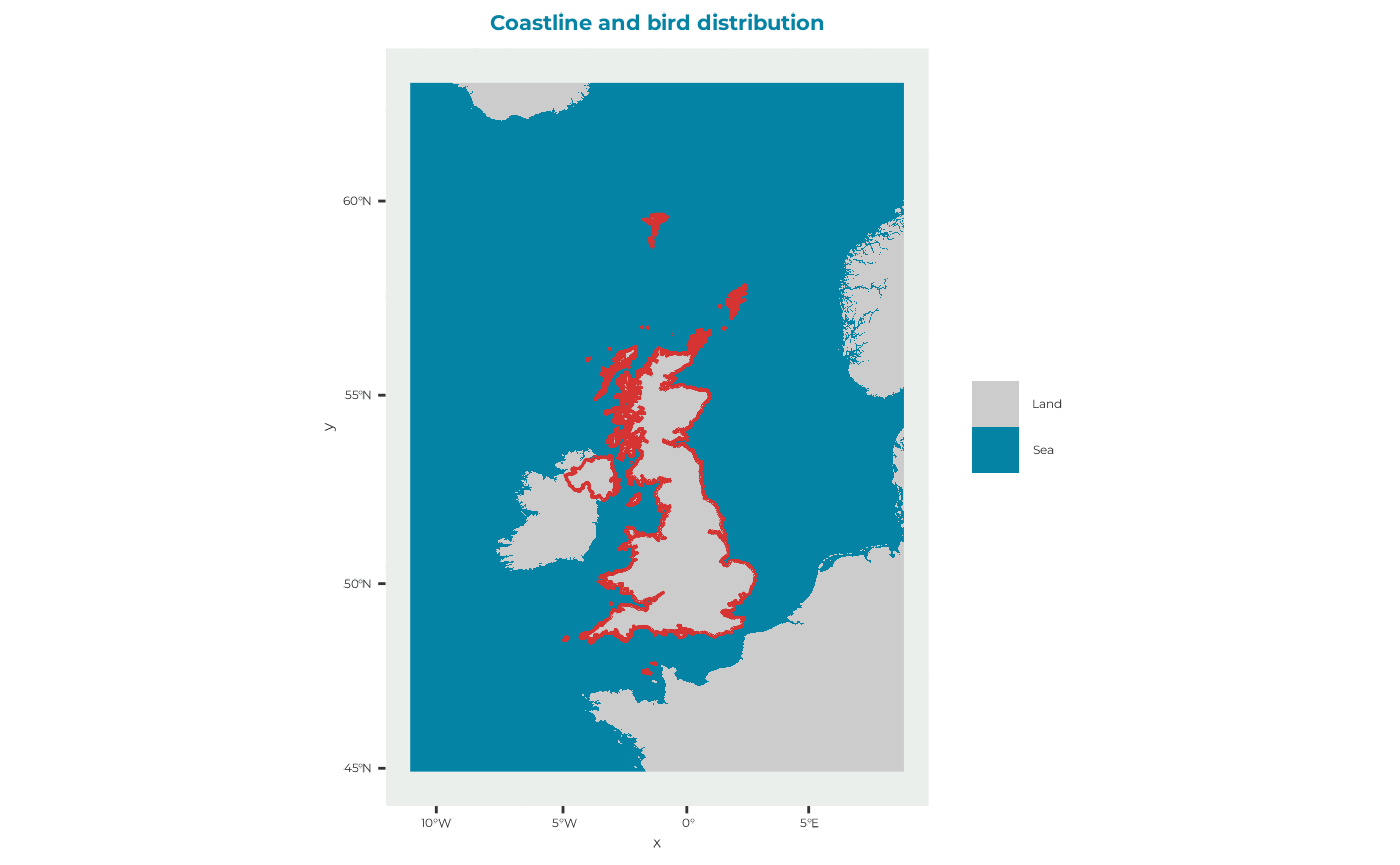
spadat1
For this example the values for spadat1 for the site “UK9004171” are taken from the built-in dataset “spacoordinates” which has data for 108 relevant SPA sites for the CEF. The package provides helper functions for extracting the example data used throughout this vignette.
#open the dataset provided with the pacakge
spadat1_example <- seabORD::get_example_spadat1()

#display the data for the example site
print(t(spadat1_example))
#>              [,1]
#> SITECODE     "UK9004171"
#> CEF.include  "TRUE"
#> Marine       "FALSE"
#> Longitude    "-2.564"
#> Latitude     "56.186"
#> dat.CELLNO   "1658699"
#> dat.ATSEA    "TRUE"
#> flt.LONG     "-2.558333"
#> flt.LAT      "56.18875"
#> flt.CELLNO   "1658699"
#> flt.ATSEA    "TRUE"
#> flt.DIST     "0.4661833"
#> flt.near     "TRUE"
#> datxy.E      "3544920"
#> datxy.N      "3743923"
#> datxy.CELLNO "1800240"
#> datxy.ATSEA  "TRUE"
#> fltxy.E      "3544466"
#> fltxy.N      "3743659"
#> fltxy.CELLNO "1800240"
#> fltxy.ATSEA  "TRUE"
#> fltxy.DIST   "525.4244"
#> fltxy.near   "TRUE"
spadat2
Can be derived from the built in list dataset “spalist”, which contains information for all the SPA sites. The package provides helper functions for extracting the example data used throughout this vignette.
spadat2_example <- seabORD::get_example_spadat2()

#take a look
print(t(spadat2_example))
#>                       [,1]
#> SITE_CODE             "UK9004171"
#> SITE_NAME             "Forth Islands"
#> CEF.include           "Y"
#> Marine.only           NA
#> Altnames.sufficient   NA
#> Altnames.SPApolys     NA
#> Altnames.SMP          NA
#> Altnames.Productivity NA
#> Altnames.BDMPS        NA
#> Altnames.FR           NA
spdat
The species specific data for the Black-legged Kittiwake be derived from the built in dataset “energeticsandpreydata” that has data for all 4 species that seabORD models (“KI”, “GU”, “RA”, “PU”). The package provides helper functions for extracting the example data used throughout this vignette.
example_spdat <- seabORD::get_example_spdat()

#take a look
print(t(example_spdat))
#>                  [,1]
#> Code             "KI"
#> Species          "Black-legged Kittiwake"
#> BM_adult_mn      "372.69"
#> BM_adult_sd      "33.62"
#> BM_adult_mortf   "0.6"
#> BM_adult_abdn    "0.8"
#> BM_chick_mn      "36"
#> BM_chick_sd      "2.2"
#> BM_Chick_mortf   "0.6"
#> daylength        "36"
#> seasonlength     "30"
#> unattend_max_hrs "18"
#> adult_DEE_mn     "802"
#> adult_DEE_sd     "196"
#> chick_DER        "525.7"
#> IR_max           "4.369"
#> IR_half_a        "900"
#> IR_half_b        "0.02"
#> flight_msec      "13.1"
#> assim_eff        "0.74"
#> energy_prey      "6.52"
#> energy_nest      "427.8"
#> energy_flight    "1400.7"
#> energy_searest   "400.6"
#> energy_forage    "1400.7"
#> energy_warming   "26"
#> chick_mass_a     "11"
#> adult_mass_KG    "38.5"
#> beta             "0.038"
#> basesurv_poor    "0.65"
#> basesurv_modr    "0.8"
#> basesurv_good    "0.9"
#> massloss_poor    "20"
#> massloss_modr    "10"
#> massloss_good    "0"
#> chicksurv_poor   "10"
#> chicksurv_modr   "50"
#> chicksurv_good   "100"
The 4 species can be accessed via
spdat_all_species <- seabORD::get_spdat()BrdData
Bird distribution map. There is a built in example data-set for this run which is derived from GPS data and modeled with a GAM incorporating important factors known to drive space use in this species. The raster can be accessed with the built in function get_example_brddata()
example_brddata <- seabORD::get_example_brddata()Example:
seabORD::plot_brddata(brddata = example_brddata)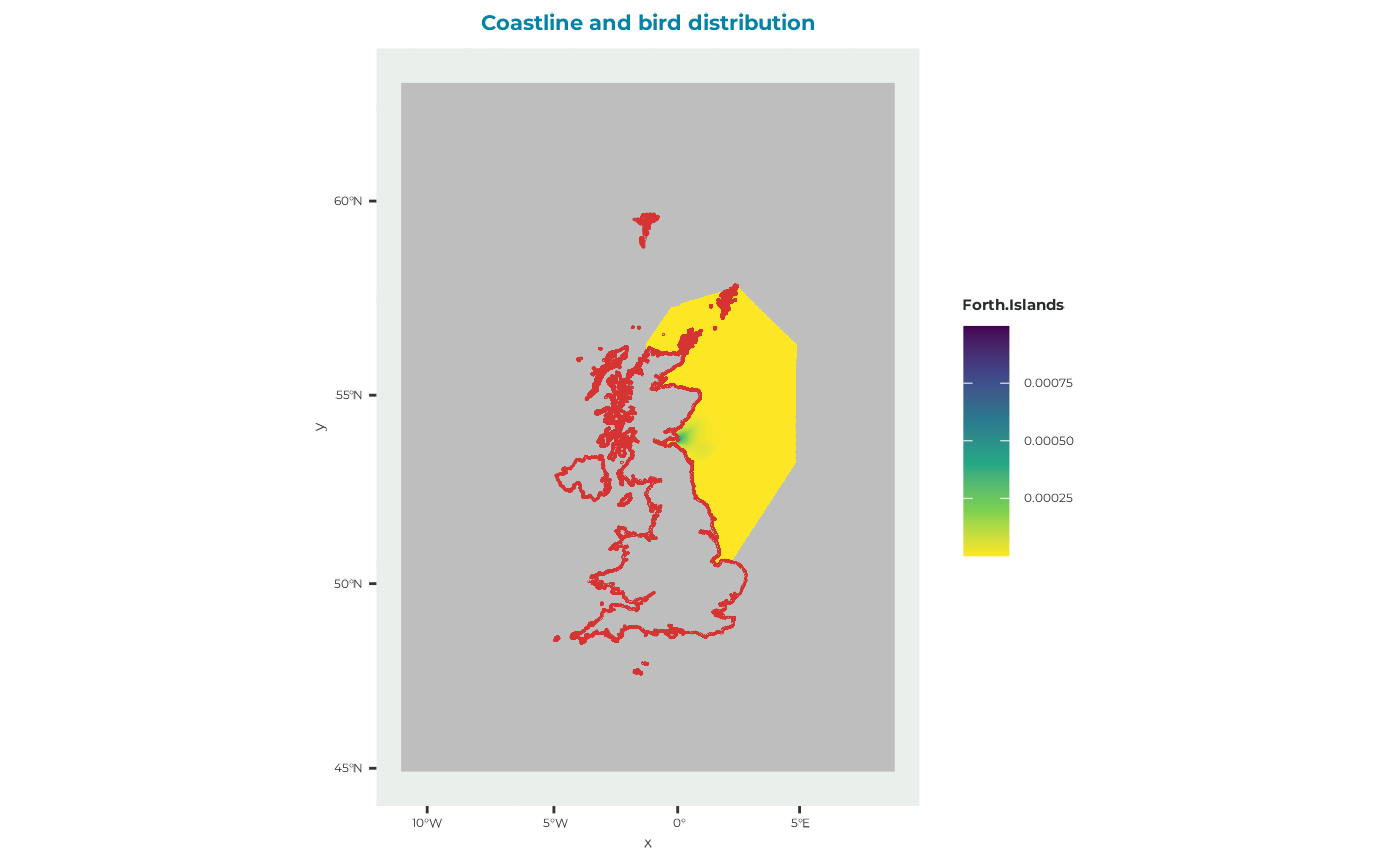
FrgCompData
Competition distribution map i.e., the distribution of conspecifics from surrounding colonies which may interact with the colony/SPA being simulated. This is used throughout the model to estimate how competition from other colonies influences intake rate at different foraging sites. It uses the built in dataset “frgcompdata_example”. The example raster can be accessed using the built in function frgcompdata_example().
example_frgcompdata <- seabORD::get_example_frgcompdata()Example:
seabORD::plot_frgcompdata(frgcompdata = example_frgcompdata)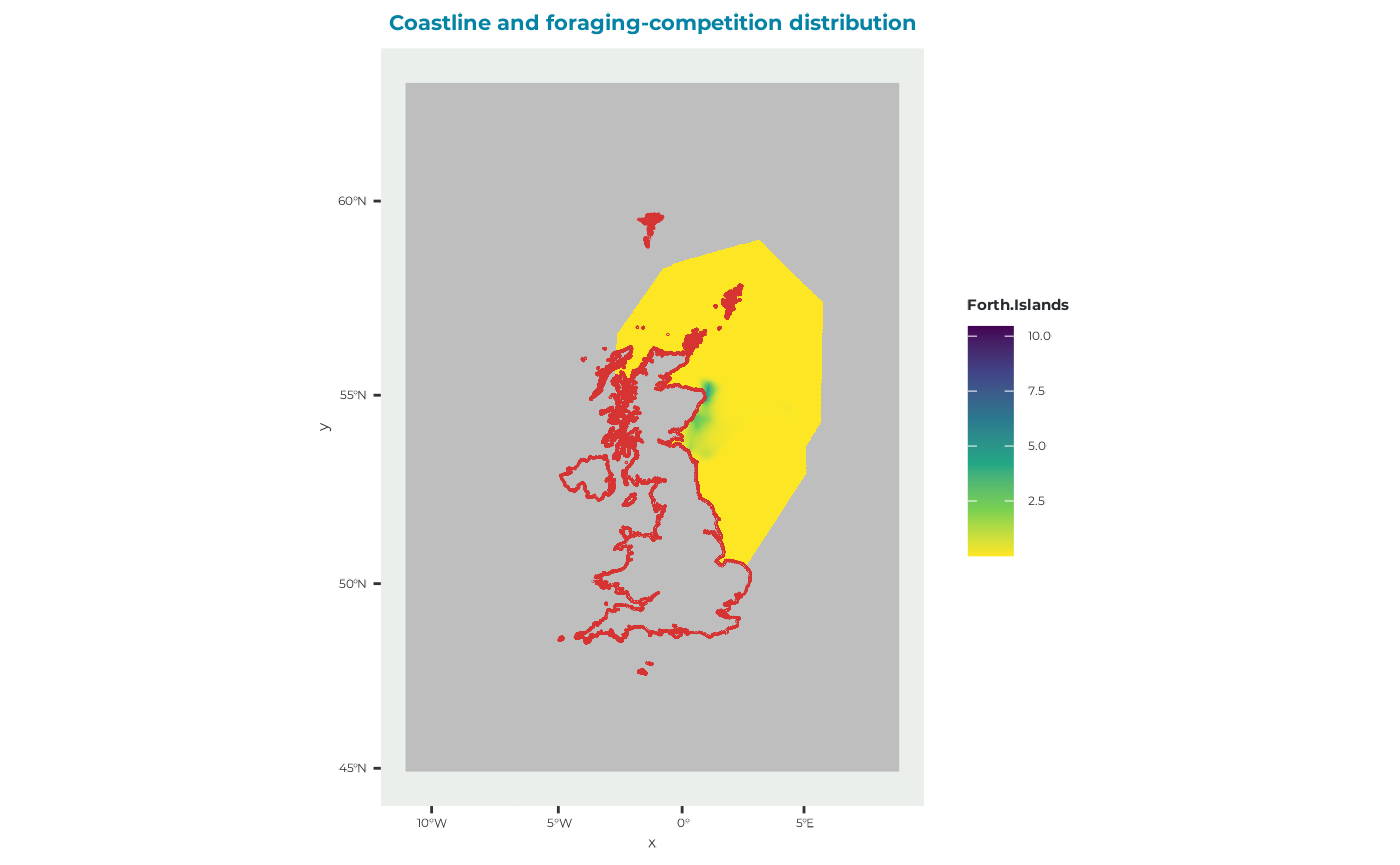
fltdist_base
Flight distance by sea, without ORDs. See user guide for details.
example_fltdist_base <- seabORD::get_example_fltdist_base()Example:
seabORD::plot_fltdist_base(fltdist_base = example_fltdist_base)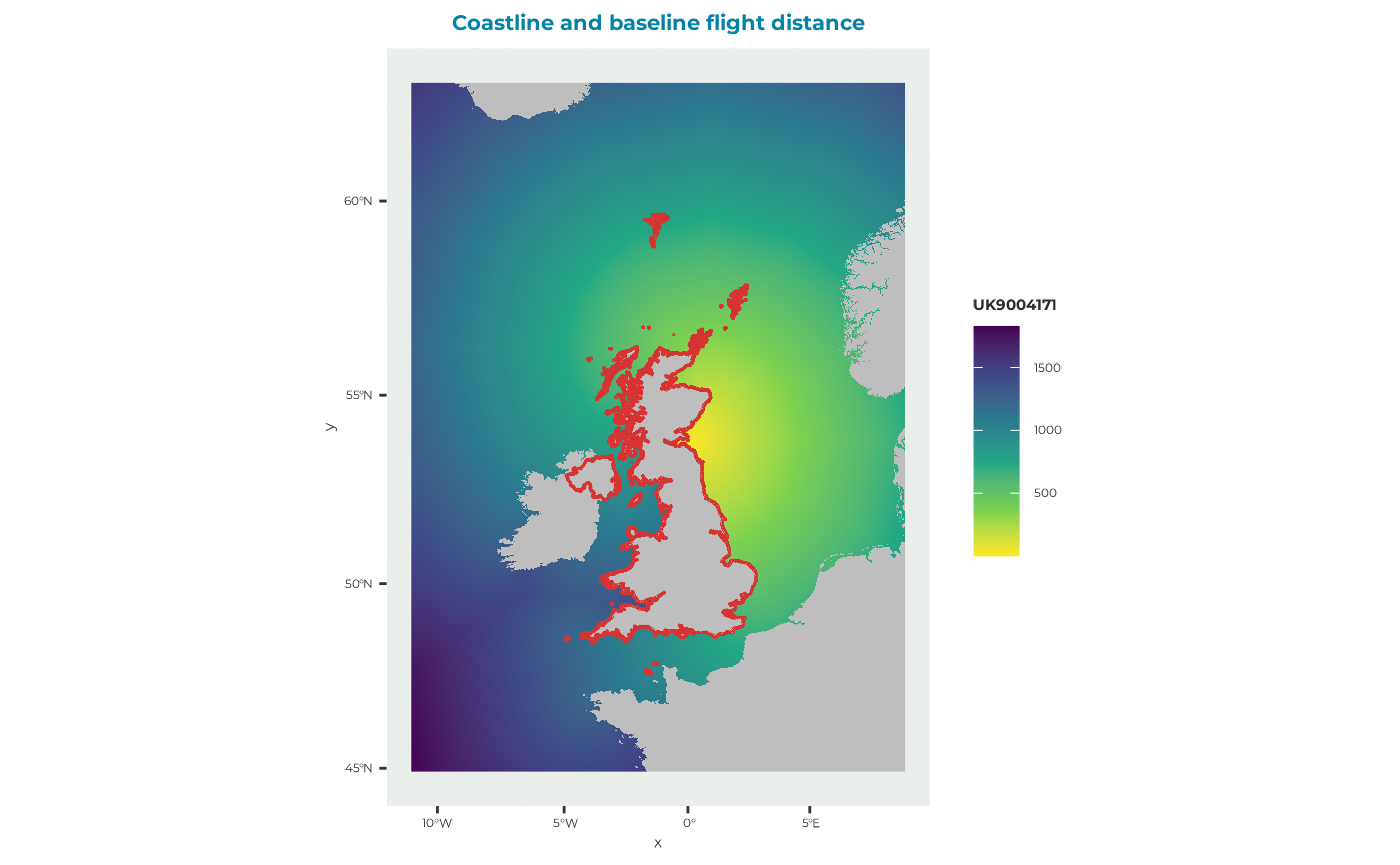
FlightGridcorrection
It’s a TransitionLayer class object. One example provided that can be loaded
FlightGridcorrection <- seabORD::get_example_fgc_3035()ORDpoly
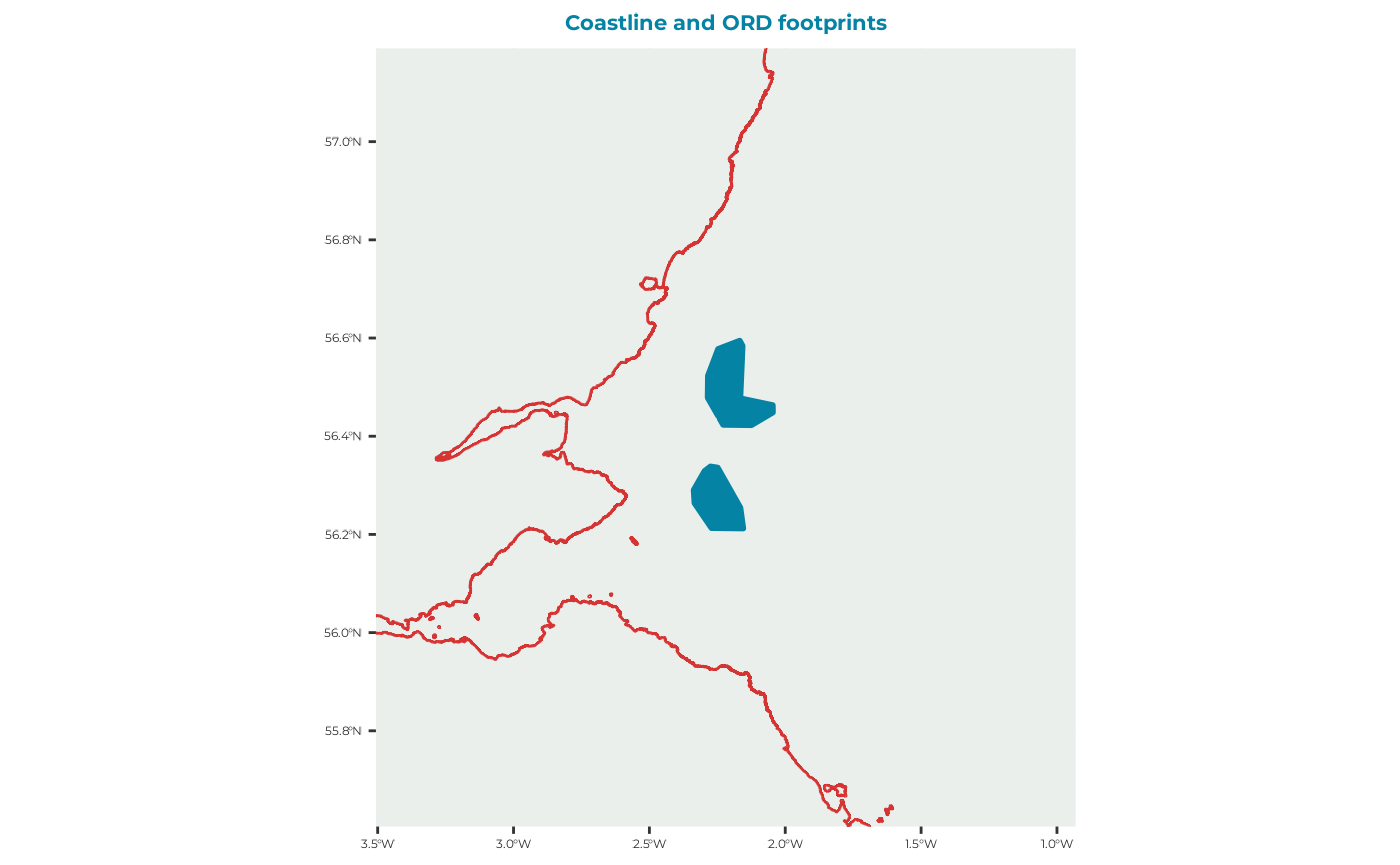
This is a set of polygons used to represent the ORDs that we are intending to predict the impact of.
ORDpoly_example <- seabORD::get_example_ORDpoly()which is a dataset with this multipolygon shapes:
seabORD::plot_ORDpoly(ORDpoly = ORDpoly_example)